
Why Memes Fit Social Feeds
Use a meme to point out a specific situation: the meeting that ran over, the report nobody opened, or the approval that arrived after launch. Choose something your readers have reason to care about. Then write the surrounding post so they can understand why you shared it.
What About a Serious B2B Brand?
A team lead may recognize an approval loop; an analyst may recognize a spreadsheet that refuses to reconcile. Use a situation your readers know, with a tone that fits the subject. Keep private stories and identifiable people out of a public joke unless you have a sound reason and permission to include them.
What a Meme Can Contribute
Decide what the post should do before choosing an image. You might want readers to discuss a work habit, notice a recurring problem, or visit a useful guide. Give them the context and next step that serve that goal. If they need a detailed answer, put it in the post or the linked resource.
A Repeatable Creation Workflow
Choose one observation to build the post around. Keep the audience’s wording where it helps, remove private details, and review the image and surrounding text as a single draft.
- 1
Collect real audience language
Review recurring questions in support tickets, sales calls, community threads, comments, and search queries. Remove private details and record the situation in the audience’s words.
- 2
Turn the complaint into a shared situation
Move from one person’s story to a tension many people recognize: the meeting that should have been an email, the dashboard nobody trusts, or the approval loop that never ends.
- 3
Choose a template for the emotion
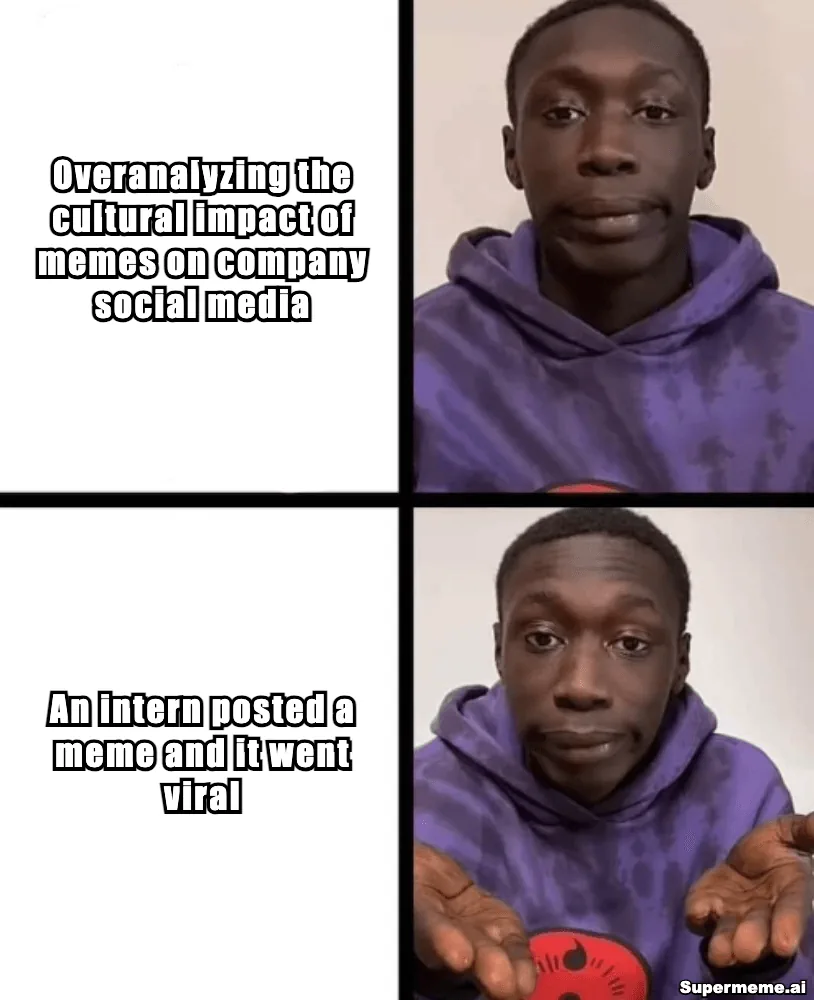
Match the image to the situation. A dilemma needs competing choices; a preference needs a clear rejection and approval. Check which reading the format supports before adding words.
Compare template meanings - 4
Write for one clear reading
Keep the setup and payoff short enough to read at the size you plan to share. Check that labels sit beside the right person or object, and shorten any caption that needs zooming.
Check caption readability - 5
Run a context and rights check
Read the format’s original context and consider who the joke is about. Check permission or another applicable basis for using the underlying image in the planned post.
Read the U.S. copyright guide - 6
Publish, label, and learn
Add an image description, record the topic and template, and review the post at the time you chose in advance. Keep the results with notes about the audience, channel and replies.
For the editing steps, follow the guide to writing, placing and downloading a meme. Keep the finished image beside the post text during review.
Choose the Channel and Format
Decide how a reader will encounter the idea on the chosen channel. Review the image, the accompanying text and the response you are asking for together.
Use a work situation your intended readers know. Add a practical observation in the post text, then ask a question they can answer from experience. The worked draft below shows one approach for team leads.
Check that the image makes sense at feed size. Use the post caption to add the situation behind the joke or invite readers to share their version. Give a recurring joke enough context for someone seeing it for the first time.
TikTok and short-form video
Plan the setup and reaction as separate beats. For the status-update idea, you could show another meeting invitation arriving, followed by someone writing an update. Make the context clear in the video and its captions.
X and real-time feeds
Use a short setup that explains the reference. Read the conversation before joining it, check what the image usually means, and decide who will handle replies after the post goes live.
A fictional LinkedIn draft for team leads
The idea is a preference for written updates when a routine status check does not need a meeting. Here is suggested post text:
For a routine status check, try a written update: what changed, what is blocked, and what needs a decision. Save the conversation for the part that needs people in the room. Which recurring update could your team write down?
Suggested image: Drake Hotline Bling
- Top, beside Drake’s rejection
- Another status meeting
- Bottom, beside Drake’s approval
- A written update
Open the blank Drake editor and replace the two editable placeholders with your captions. The link opens the template; the suggested words above are not prefilled. Review the image’s wording and use before publishing.
The post gives readers a practical point even without the image. Its question asks for a relevant example from their work. After publishing, read the replies to see whether they discuss that situation or interpret the joke differently.
Review a Public Brand Post
Pick a post and identify its intended readers, the situation in the joke and the surrounding text. Read the replies for signs of understanding or confusion. Use the sourced campaign example in the meme marketing guide to practice separating what a brand published from what the available results actually show.
Review Before Publishing
Name the person who can approve the post and the issues that need another reviewer. Keep the image and post text in the same review so someone can check the whole message. Use these questions to make the decision concrete.
- The intended readers have enough context to understand the situation.
- The joke suits the audience and avoids exposing or ridiculing an identifiable person.
- The template’s meaning and origin have been checked.
- The caption is readable on a phone and the image has useful alt text.
- The post makes a useful observation even if few people see it.
- A named person will read replies and handle corrections if needed.
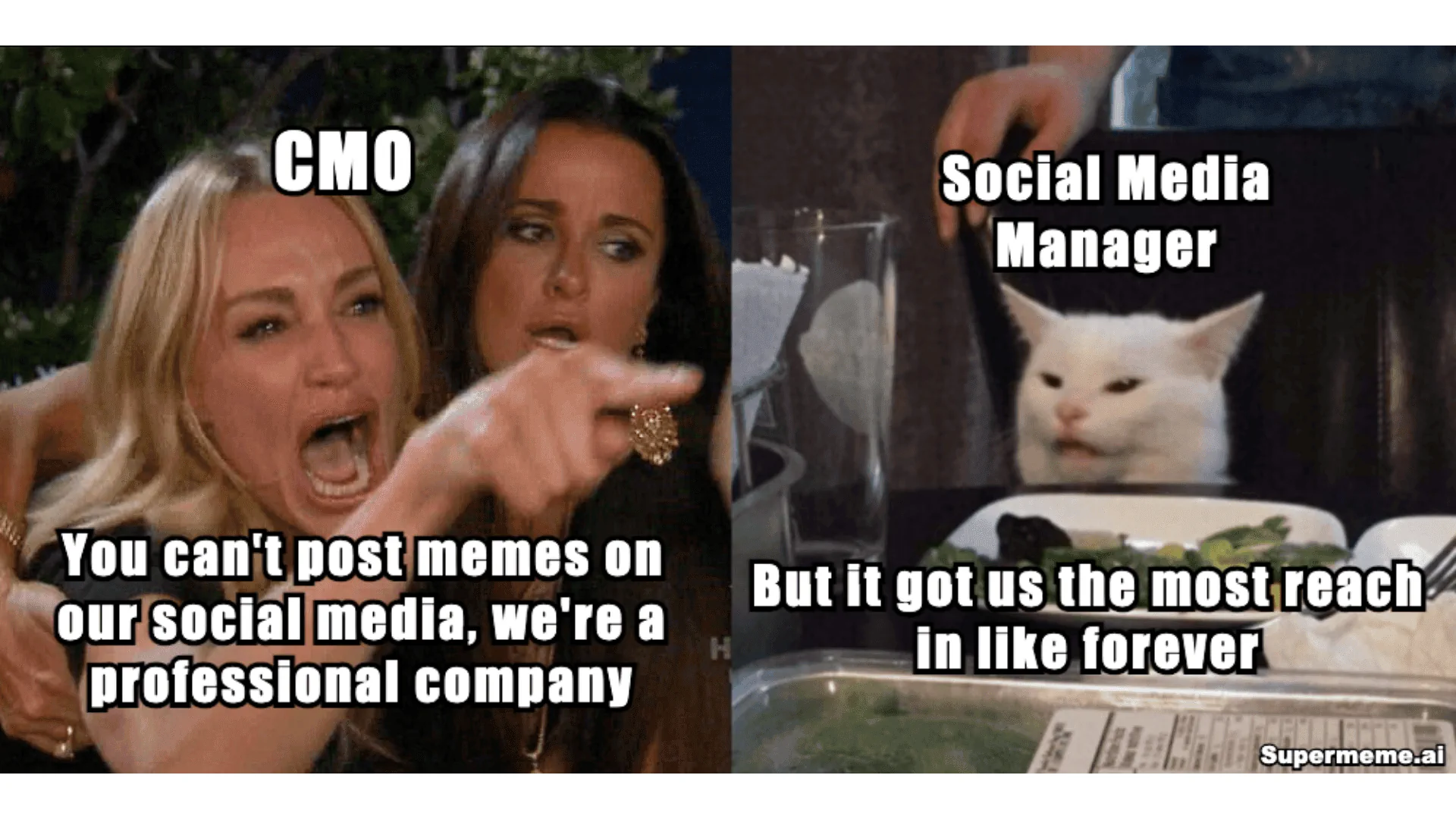
Describe the scene and its words
Include the action, the relationship between the panels and the text that carries the joke. Here is an image description for the woman-and-cat illustration at the start of this guide:
A woman pointing and shouting is labelled CMO: “You can’t post memes on our social media, we’re a professional company.” A white cat at a dinner table is labelled Social Media Manager: “But it got us the most reach in like forever.” Supermeme.ai watermark.
Include what both sides say so readers can follow the disagreement. X’s official guides explain how to write an image description and where to add it to a post.
Run a Small, Measurable Test
Choose one audience, one channel and a short series about a recurring problem. Set a goal and a review window before publishing. Compare posts from the same account on similar topics, and keep organic results separate from paid or boosted distribution.
Check what each number means. For member posts, LinkedIn defines impressions and members reached separately: impressions count showings, while members reached estimates distinct members and Pages that saw the post. Neither tells you whether a reader was the buyer you hoped to reach. Use the measures available to your account; record link visits or later actions only if you can track them.
Change one major part of the next draft so you have a clearer question to investigate. A few posts can suggest what to try again, but differences in timing and audience mean they do not establish that the meme caused the result. Keep the observation with the post, including replies that challenged your intended reading.
Decide When to Use Another Format
Use the review notes to plan the next post. A shared frustration may suit a meme; instructions may need a walkthrough, and a product claim may need a demonstration or evidence. Choose the format that gives readers enough information to take the next step.