Community bots
Slack and Discord meme bots
Turn a slash command or channel message into a meme without maintaining your own template map.
Command text -> meme options -> channel post
Send a topic, moment or message. Get captioned image URLs for your app or bot, or use separate captions and templates in your own editor.
From $9.99 USD/month, billed monthly, including 100 API requests per month on Solo. Compare API plans
/api/v2/meme/image{
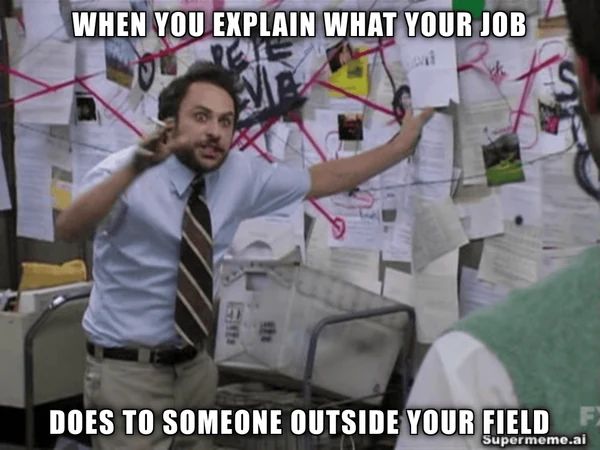
"text": "Explaining your job to someone outside your field",
"count": 1,
"aspectRatio": "4:3"
}Example JSON body. Send it to https://app.supermeme.ai with your Bearer API key. Copying this body does not run a request.
REST + JSON
A familiar HTTP interface
Bearer auth
One key in the header
Up to 12
Requested finished memes
Curated templates
Matched to your text
Make your first request
Choose an output below, then run the example from your backend. The JavaScript samples use Node.js 18 or newer; keep your API key out of browser code.
Open developer settings on a plan with API access. Keep the key in your server environment and send it as a Bearer token.
Key setupCopy a cURL or server-side JavaScript example. Start with count: 1, change the text and check the HTTP status and returned JSON.
First requestDownload images you need to keep before the signed URLs expire after one hour. Review the caption, template and readability before publishing.
Response handlingA successful request can return fewer images than you asked for. Check the returned array and read the production checklist before shipping. To try an idea in the web app, open text-to-meme.
Meme API documentation
Finished images for speed. Separate captions and templates for control. Template search when a human should choose. Minimalist visuals when the idea is better explained than memed.
Try an illustration brief in Text-to-Visuals before adding visual generation to your app.
/api/v2/meme/imageFinished image URLs
Send text and receive captioned memes that are ready to show inside your product.
Best for: Bots, social tools, internal apps, and automated publishing.
textstringrequiredcountnumberoptionalaspectRatiostringoptionalpaddingColorstringoptionalcurl --request POST \
--url https://app.supermeme.ai/api/v2/meme/image \
--header "Authorization: Bearer ${SUPERMEME_API_KEY}" \
--header 'Content-Type: application/json' \
--data '{
"text": "Explaining your job to someone outside your field",
"count": 3,
"aspectRatio": "4:3"
}'{
"memes": [
"https://example.invalid/generated-meme-1.png",
"https://example.invalid/generated-meme-2.png",
"https://example.invalid/generated-meme-3.png"
],
"expiresAt": "2026-10-04T13:00:00.000Z"
}Responses are illustrative and use placeholder URLs. The published schemas include an expiresAt timestamp for generated images. Check the current OpenAPI specification for complete schemas and response headers.
Set your key once
export SUPERMEME_API_KEY='paste-your-api-key-here'Need your key? Paid users can create and rotate it from developer settings.
Get an API keyError responses
Check the HTTP status and readable message. When the response includes a correlation ID, keep it with your logs so support can trace the request.
Quotas reset with the billing period. Check current usage in the developer dashboard and handle 429 responses before sending more requests.
{
  "status": 429,
  "type": "quota_exceeded",
  "message": "You have reached your API limit",
  "correlationId": "1720000000000-a1b2c3d4e",
  "timestamp": "2026-07-11T09:30:00.000Z"
}Everything an AI assistant or agent needs to use the Meme API: machine-readable docs, a copy-paste setup prompt, an installable skill, and an MCP server.
Using Claude, ChatGPT, or Cursor? Add the Supermeme MCP server and skip API keys entirely — it authenticates with OAuth and gives your assistant meme tools out of the box.
https://mcp.supermeme.ai/mcpPaste this into your agent's instructions (system prompt, custom GPT, Claude project, or CLAUDE.md). Add your API key where indicated.
You have access to the Supermeme.ai meme generation API.

Base URL: https://app.supermeme.ai
API key: provided in the SUPERMEME_API_KEY environment variable (get one at https://supermeme.ai/account/developers)
Auth: send the header `Authorization: Bearer <api key>` on every request.
Full reference: https://supermeme.ai/meme-api.md (markdown) or https://app.supermeme.ai/openapi.json (OpenAPI 3.1)

Endpoints:
- POST /api/v2/meme/image: body {"text", "count"?, "aspectRatio"?, "paddingColor"?}; returns {"memes": [URLs], "expiresAt"}. Required text is a string of 1–2,500 characters. count is a number: below 1 is rejected, decimals are truncated, and values above 12 are capped at 12. aspectRatio: 1:1, 3:4, 4:3, 9:16 or 16:9. paddingColor: # plus 3 or 6 uppercase hexadecimal characters; default #FFFFFF. Both response fields are required. POST /api/v1/meme/image remains an alias.
- POST /api/v1/minimalist-visual: body {"text", "count"?, "aspectRatio"?}; returns {"images": [URLs], "expiresAt"}. Required text is a string of 1–2,500 characters. count is a number from 1 to 3, default 1; aspectRatio uses the same five ratios, default 1:1. Both response fields are required.
- POST /api/v1/meme/text: body {"text"}; returns {"memes": [{"caption", "image"}], "searchEmotion", "originalText", "generatedCaptions", "languageCode"}. Required text is a string of 1–2,500 characters. The five top-level fields and each caption/image pair are required. image is a public blank-template URL.
- GET /api/v1/search?query=...: use a non-empty, URL-encoded query; returns {"templates": [URLs]}. The required templates array contains up to 20 public blank-template URLs. Use the URLs directly and do not depend on a fixed result order.

Rules:
- Finished-meme and minimalist-visual responses return signed image URLs that expire after one hour. Download the image bytes before expiresAt if you need to keep them. Text-to-meme and search return public blank-template URLs and have no expiresAt field.
- Use a bounded HTTP timeout, such as 120 seconds. This is a client setting, not a response-time guarantee. Avoid overlapping generation requests.
- The current OpenAPI contract documents X-RateLimit-Limit, X-RateLimit-Remaining and X-RateLimit-Reset on 200 and 429 responses. Read them when present: Limit is the billing-period allowance, Remaining is conservative (stop at 0), and Reset is a Unix timestamp in seconds. If headers are missing, consult the developer dashboard; missing headers do not mean unlimited quota. HTTP 429 with type quota_exceeded means stop and wait for the billing-period reset. Do not assume a failed or timed-out generation used no quota.
- Errors are JSON with required "status", "type", "message" and "timestamp"; "correlationId" is optional. Branch on "type": validation_error (fix input), unauthorized (check key), forbidden (check paid-plan access), quota_exceeded (429; wait for reset), internal_error (save the error and any correlation ID before deciding whether to retry). No idempotency key is documented. A timeout or 5xx response does not prove generation was never processed; repeating a POST may create another batch and consume quota again. Do not silently repeat uncertain generation requests.
- In "text", describe the situation or feeling rather than writing a literal caption. languageCode in the text-to-meme response reports the detected input language. Check that the returned captions use the language you intended, and review their wording before publishing.Using Claude Code or the Claude apps? Install the Supermeme skill and Claude picks it up automatically whenever memes come up:
mkdir -p ~/.claude/skills/supermeme && \
curl -fsSL -o ~/.claude/skills/supermeme/SKILL.md \
https://supermeme.ai/skills/supermeme/SKILL.mdOutput choices
Request a captioned image, or get the caption and template separately when your app needs its own layout or review controls.
Popular meme API use cases
Use text your app already has, such as a command, campaign brief or lesson topic, to request meme options. Your app handles review and publishing.
Turn a slash command or channel message into a meme without maintaining your own template map.
Command text -> meme options -> channel post
Generate meme options from a campaign idea or post draft inside the existing content queue.
Post draft -> meme options for review
Give a custom agent a meme tool so it can return a relevant visual when the conversation calls for one.
Conversation context -> meme URL in the assistant response
Celebrate milestones, soften empty states, or respond to familiar moments with contextual memes.
Achievement event -> shareable reaction meme
Turn launch briefs, webinar quotes, or article summaries into meme options for a human to approve.
Content brief -> editable captions or finished images
Add a meme to a lesson, company announcement or workplace topic. Review the wording for the people who will see it.
Key message -> meme options for the audience
API access and limits
Every paid plan includes meme API access. Choose the request allowance your integration needs, or ask for a custom quota.
Meme API FAQ
Still deciding between the REST API and an AI-assistant integration? Read about the Supermeme meme MCP server.
Create an API key from your developer settings, send it as a Bearer token in the Authorization header, then POST text to the endpoint that matches the output your product needs.
Yes. POST /api/v1/meme/text returns caption text and template images separately. Use those parts when your application needs to control the text, layout or review step. Use POST /api/v2/meme/image for captioned images.
Use POST /api/v2/meme/image for finished memes, POST /api/v1/meme/text for captions and clean templates, GET /api/v1/search for template URLs, and POST /api/v1/minimalist-visual for hand-drawn-style illustrations.
Every request uses a Supermeme API key in the Authorization header as a Bearer token. Paid users can create and manage the key from the developer settings page.
API access starts at $9.99 USD per month, billed monthly. Solo includes 100 requests, Startup includes 2,000, and Enterprise includes 5,000 or more each month.
POST /api/v1/meme/text returns languageCode for the detected input language. Read that field and review the returned captions before publishing. Each endpoint’s request and response fields are in the API reference.
Yes. Image URLs returned by POST /api/v2/meme/image and POST /api/v1/minimalist-visual are signed for one hour. Save the images to your own storage when your product needs permanent URLs.
Use the REST API when you are building meme generation into an app, bot or backend. Use the meme MCP server when you want an MCP-compatible AI assistant to find templates and render memes inside a conversation.
Start building with the meme API
Create a key, choose an endpoint and run a small request. Save the images you need, review the result and connect it to your workflow.