
How to make a GIF meme
Start with the situation you want people to recognize. The animation supplies the reaction; your caption explains what prompted it.
Describe the situation
Name what happened and how it felt. A specific situation gives the caption more to work with than a topic such as meetings.
Select GIFs and sign in
Open the composer and switch from Images to GIFs. Sign in if prompted, then check that GIFs is selected before choosing Generate GIFs. Switching formats clears any previous results.
Choose a reaction and edit its wording
Watch the returned GIFs. Choose a reaction that fits, then edit its header or footer text. You can change the font, size and color of those lines.
Download and check the file
On desktop, choose Download. On mobile, use Share; your browser may offer a download instead. Open the saved GIF and check the caption, crop and loop before sharing.
When the meeting could have been an email
The header names the frustration. The facepalm supplies the reaction. Keeping the wording above the animation leaves the gesture visible.

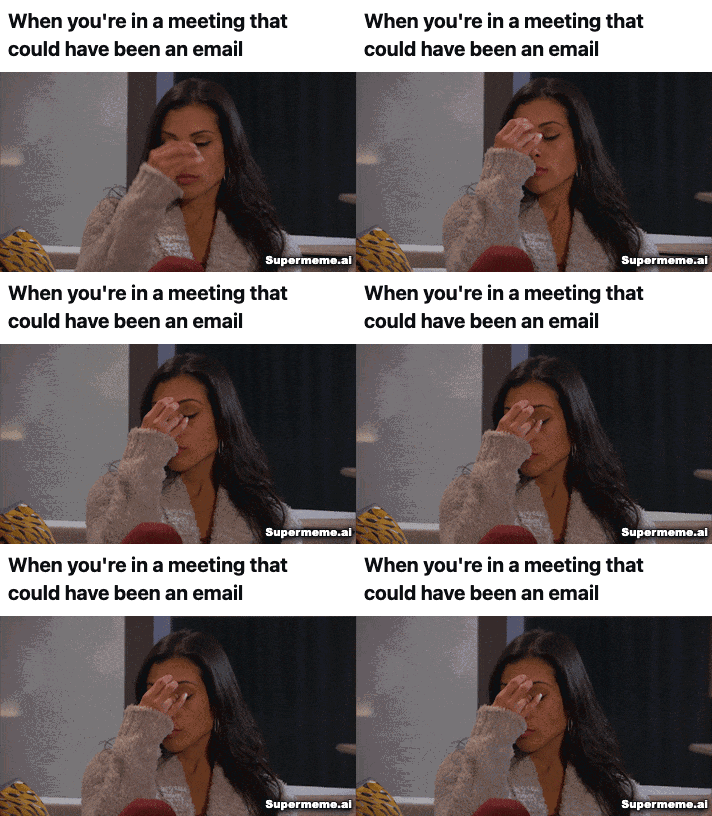
Showing a still frame from the GIF
- Caption in the example
- When you're in a meeting that could have been an email
- A situation to try
- I spent an hour in a meeting that could have been a three-line email.
This is a suggested prompt for a similar joke. Try it in GIF mode and compare the reactions you get.
What is the difference between a meme and a GIF?
GIF is a file format that can hold a still image or an animation. A meme is an idea or reference that people repeat and adapt. A GIF meme gives a familiar reaction a new context.
Browse our meme collections for more examples.
Check the caption and the loop
- Keep the header or footer short enough to read while the reaction repeats.
- Watch the whole loop. The gesture should fit the situation, including where the animation starts again.
- Check the downloaded file at the size you will share. Make sure the words, watermark and reaction are visible.
For a worked example of matching the words to the image, read how to write a meme caption.
Choose the reaction for your audience
A meeting joke can work in a team chat, where everyone knows the frustration. A public brand post may need more context. Check that your audience will understand the reaction and that the caption sounds like your brand.
For audience, channel and campaign planning, read our meme marketing guide.
GIF meme generator questions
How do I make a GIF meme from text?
Open the composer, describe your situation and select GIFs. Sign in to generate. After signing in, check GIFs is selected and choose Generate GIFs. Review a result, edit its header or footer and download it.
Does the AI create a new animation?
This workflow matches your idea with existing animated GIFs and suggests captions. It does not create a new animated scene from your prompt.
What can I edit on a GIF meme?
You can edit the header and footer wording and change their font, size and color. GIF mode does not offer movable text overlays, image stickers, trimming or playback-speed controls.
What file do I download?
The GIF workflow exports a GIF file. Open the downloaded file to check the caption, crop and animation before uploading it elsewhere.
Can I try the GIF meme generator for free?
Free accounts have a monthly generation allowance. Sign in to use it. Free exports include the Supermeme.ai watermark, and paid plans remove it. Check the pricing page for current allowances.
Can I write my situation in another language?
Describe the situation in the language you want to use, then check the suggested wording. Review names, idioms and tone before sharing.
See current plans and generation allowances.
For Supermeme's language options, see the supported language list.
Check the GIF where you plan to share it
Preview the uploaded file before posting. The animation should play, the caption should stay readable and the crop should preserve the reaction. The GIF workflow downloads a GIF file.
Both X's posting help and LinkedIn's media help list GIF support. Check the requirements for the place you plan to post; support can vary by post type.