How to Find a Blank Meme Template Without Text
You have the right meme image, but someone else's caption is stuck on it. Use these five methods to find a clean template for your own version.

Blank template or original source?
For a new joke, look for the image without someone else's added caption. A blank template may still contain words from the original scene, such as a comic's speech bubble.
If you want the original meme image, follow reverse-search results to pages that identify the photo, comic, film, or video. Check who created or published that source. A repost, a familiar template name, or the first result does not establish where it came from.
Five ways to find a blank meme template
Semantic search: describe the situation, emotion, or action. This works even when you do not know the template name.
Fails when: the template is new, obscure, or missing from the indexed library.
Reverse image search: run the captioned meme through a reverse image search and look for a matching image without added captions.
Fails when: reposts and crops push the blank version out of the results.
Template name plus "blank template": spot the name repeated in search results, then add "blank template" to the query.
Fails when: the format has several names or no agreed name.
Dedicated template databases: browse a curated library by name, tag, or category.
Fails when: the library has not indexed the format yet.
Forums and communities: post the captioned version in a meme community and ask people to identify the source.
Fails when: you need an answer on a deadline or the community does not recognise it.
Searching is awkward when you recognise the image but do not know its name. A good search method uses the information you do have: the situation, the image, or a name repeated in the results.
Start with semantic search when you can describe the scene. Use the image and its name as fallbacks, then ask a community if the format remains hard to identify.
Use Reverse Image Search
Upload the captioned meme to a reverse image search tool. Look for the source image, an uncropped copy, or a result labelled as a blank template.
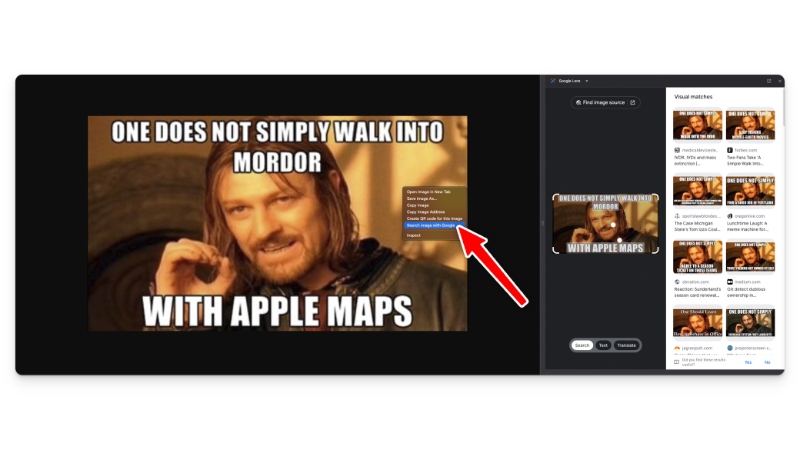
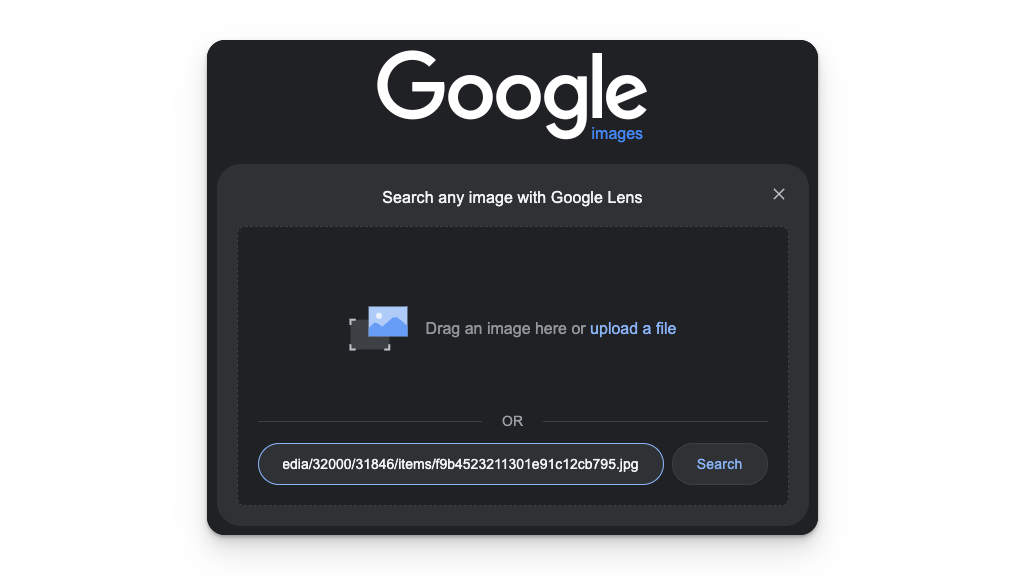
On a computer, open Google and use the camera icon to upload the saved image. In Chrome, you can also right-click an image on a website and choose 'Search with Google Lens'. Google's desktop instructions.
These earlier desktop screenshots show the process: search a captioned image, inspect the matches, and use the upload dialog. Menu wording and results can change.
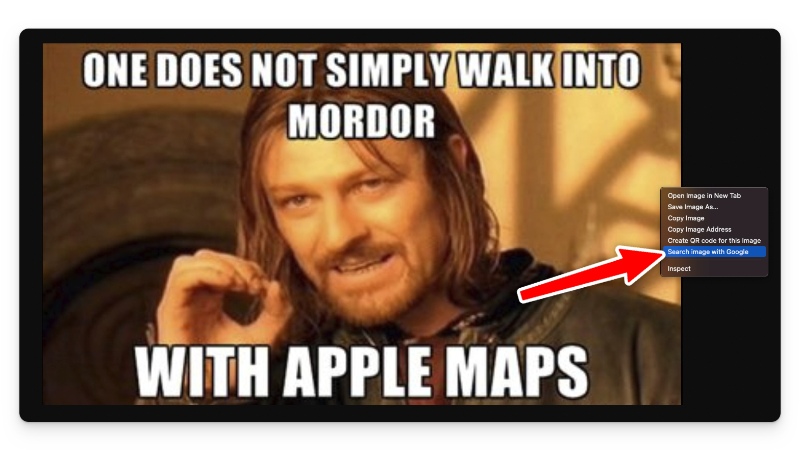
The results may contain more captioned copies than blanks. Keep the page open. Repeated names and phrases can help you identify the template for the next search.
Search from a phone
Save the meme or take a tight screenshot. Keep the image and crop away the surrounding post. In Lens, narrow the selection to the scene if the caption dominates the results.
- On Android, open Lens from the search bar in the Google or Chrome app and choose your saved image. Adjust the selection box, then scroll through the matches. Google's Android instructions.
- On iPhone or iPad, open Google in the Google app, Chrome, or Safari. Tap Lens in the search bar, choose a saved photo, adjust the selection, and scroll through the matches. Google's iPhone and iPad instructions.
Open promising results and inspect the image itself. Check the full crop and resolution before saving it. Lens can identify the scene even when its first matches still have captions.
Search the Meme Template Name
Find the name in the results
Scan page titles and image labels for words that repeat. Template names often come from a person, film, character, or short description of the scene.
Take this example:
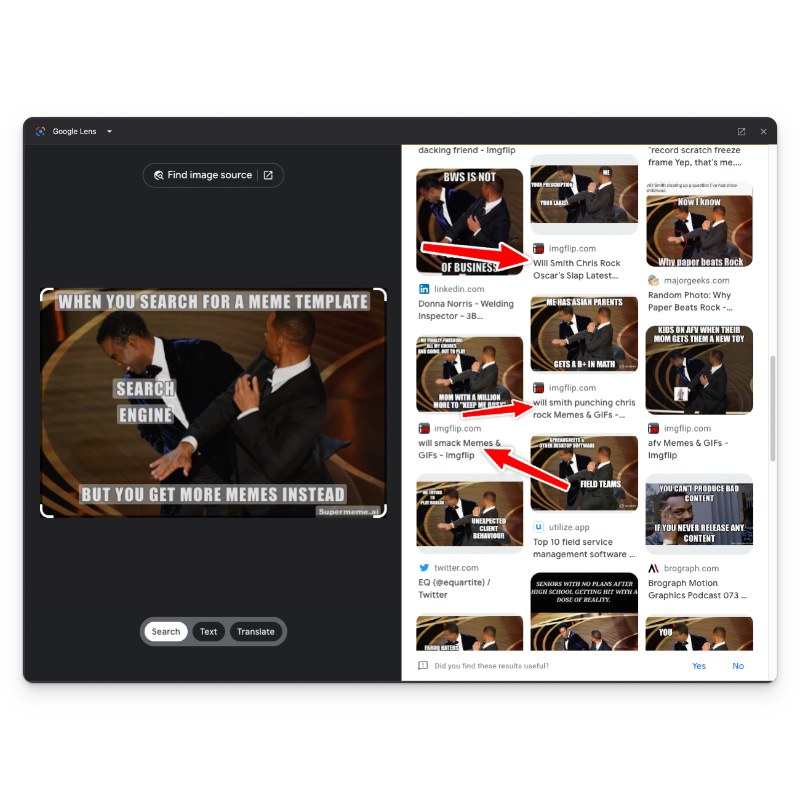
'Will Smith' and 'Chris Rock' appear across the results. Those names give you a more precise query than a description of the image.
Add 'blank template' to the query
Search the repeated name with 'blank template' or 'meme template without text'. For this example, the query becomes 'will smith chris rock blank template'.

Search a Template Database
If the web search misses, try a dedicated library such as Supermeme.ai Search. Search with the name you found, or describe the reaction or situation. This searches the library for a matching template; it does not erase text from your uploaded image.
From a captioned meme to an editable template
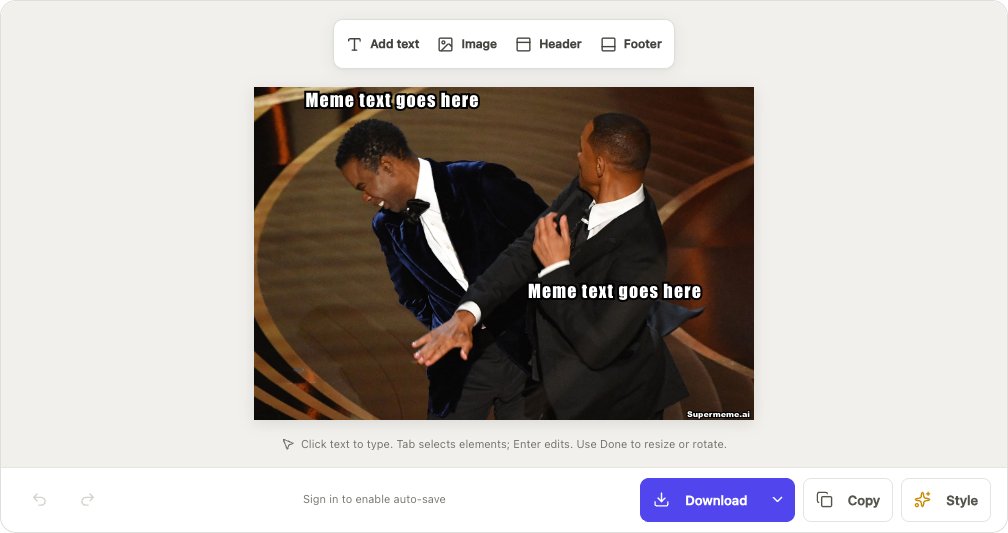
The Will Smith and Chris Rock example above gives us a name to search. Here's how to finish the job:
- Search the template library for 'will smith chris rock'.
- Look for the same scene and check that the image has no added caption. Similar results may show other scenes or reactions.
- Choose 'Edit Template' on the matching result. Replace the placeholder text, or choose Add text for a new caption. Use Download when you're happy with it.
Ask a Meme Community
Some formats are too new or obscure for search indexes. A meme community may recognise the source from the characters, crop, or visual style.
Share the captioned version, mention where you found it, and ask for the blank source or the common template name.
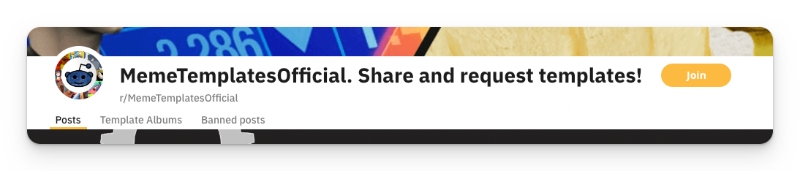
A template-request community can help with the last few hard cases:
Check the community rules before posting and include the clearest image you have. Remove private names or account details from screenshots.
Use the situation first, then the image, then the name. Template databases and meme communities cover the cases that remain.
Once you find the blank template, check what the image usually means before adding your caption. That small bit of context keeps the joke attached to the image.
Written by
Sanjeev NCCo-founder of Supermeme.ai. Building the default meme generator of the internet since 2022.