Free online meme maker
Upload a picture and write your own caption. Change the font, move the text and export a PNG. You can edit and download without signing in.
Choose a picture to caption
Upload one JPG, PNG or WebP. Text already in the picture stays part of the image; the captions you add are editable.
Add text to your picture
Use the editor when you have a caption in mind. You control the words and where they sit on the image.
- 1
Upload the image
Choose a photo, screenshot or blank meme template in JPG, PNG or WebP format. The editor starts with two caption boxes.
- 2
Replace the placeholder captions
Type your text into the caption fields. Move the text on the image, adjust its font and size, or remove a caption you do not need. You can also add a header or footer.
- 3
Check the preview and export
Keep the words clear of the part of the picture that carries the joke. On desktop, choose Download to save a PNG. On mobile, open Actions and choose Share; your browser may offer a download instead.
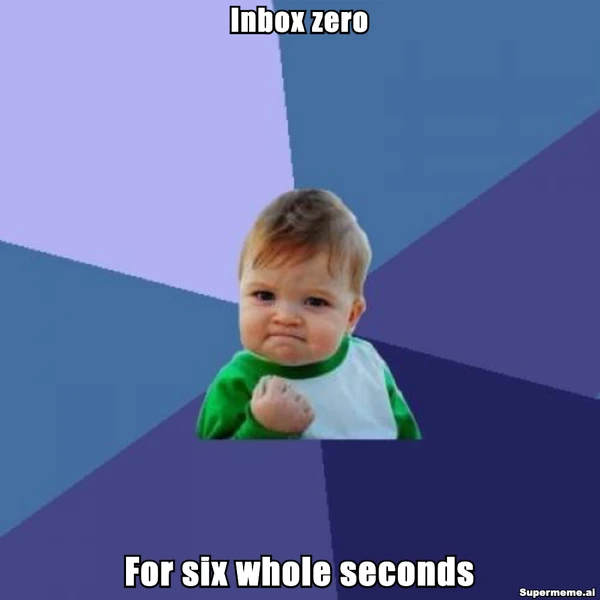
A small victory with a short shelf life
Success Kid celebrates a win. Here, the bottom line tells you how long it lasted. This example was captioned and exported in this editor.
- Top caption
- Inbox zero
- Bottom caption
- For six whole seconds
Put the win at the top and its duration at the bottom. Leave his face and fist visible. The white text and dark outline help both lines stand out.
The button opens the blank image with two editable caption boxes. Type the lines above to recreate the example. Free exports include the Supermeme.ai watermark.

Make the caption easy to read
Shorten a line if it covers the face or gets too small. Adjust the text size and placement, then check how it reads at the size you will share.
For examples of readable caption styles, see our guide to choosing meme fonts.
Save the file while the editor is open
A downloaded PNG is a single image. You can still change the caption layers in the open editor, but uploading that PNG again will not restore those layers. Sign in if you want to use the editor's account auto-save.
Need help with the line itself? Read how to write a meme caption for a worked example of matching the joke to the image.
If you want AI to suggest templates and captions from your idea, use text-to-meme.
Meme maker questions
File formats, watermarks and what stays editable.
Can I make and download a meme without an account?
Yes. Upload an image, write the captions and export a PNG without signing in. Sign in to use account auto-save. Writing captions in this editor does not require AI generation.
Is the meme maker free, and does it add a watermark?
You can edit and download for free. Free exports include a Supermeme.ai watermark. Paid plans remove it. Plans with custom watermarks let you replace it with your own text.
Which image formats can I upload?
Upload one JPG, PNG or WebP image. This page exports still images as PNG files and does not accept GIF uploads.
Can I change text that is already in an uploaded meme?
Text already in an image is part of its pixels, so the editor cannot select or rewrite it as a caption. Start with a blank template if you want to replace the original wording. Text you add in the editor stays editable while it is open.
Can I change the font, color and text placement?
Yes. Use the caption controls to change the font, color and size. Move the text on the image, add more text, or put a caption in a header or footer outside the picture.
Can I use a blank meme template?
Yes. Try the Success Kid example on this page, browse the meme templates, or use template search. Choose a blank image so your caption does not cover existing text.
How do I save a meme on my phone?
Open Actions in the editor and choose Share. If your browser supports file sharing, it opens your phone's sharing options. Your browser may offer a PNG download instead.
Can I edit the captions after downloading?
Yes, while the same editor is still open. The downloaded PNG combines the image and text into one file. Uploading that PNG again does not recover the separate caption layers.
Put your caption on the picture
Upload your image, or browse blank templates for the joke you want to make.