Social posts
Try a caption for an observation your followers share. Check that it makes sense without the rest of your post.
Describe the situation. Supermeme suggests templates and captions you can edit.
Borrow one of these, then make it yours.
You do not need to know the template name or arrive with a finished joke. Start with the situation. Supermeme handles the first draft.
Write the situation and the reaction you want to show. Add a detail your audience will recognise.
Supermeme suggests templates and captions for your idea. Compare the results and choose the one that gets the joke across.
Shorten the caption, check the wording and adjust the text placement. Download when the joke is clear at the size you will share it.
These existing examples show two work jokes. The suggested edits below make them more specific; they are separate from the prompt above.

The exhausted expression fits the joke. The caption is long, so shorten it around the detail your team will recognise.
Suggested caption edit
When the last meeting ends and someone says “one quick thing”
Replace the broad complaint with a moment your audience has been through.
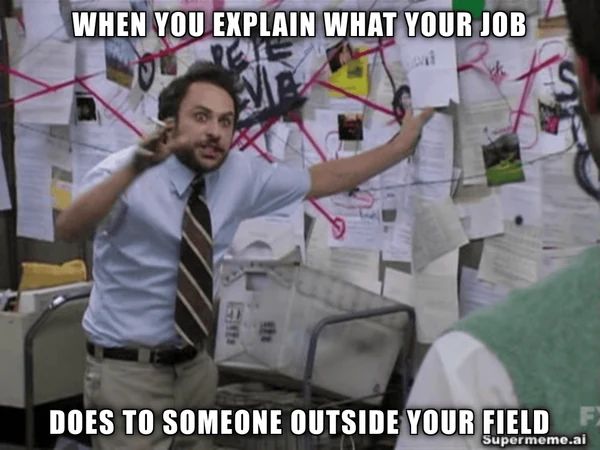
The busy wall suits an explanation that has become too complicated. Name the task or listener to make the caption feel closer to home.
Suggested caption edit
Me explaining to my parents what a product manager does
The shorter caption names the audience and the job. Use details that fit your own work.
Start with something your audience will recognise, then review the draft for that setting.
Try a caption for an observation your followers share. Check that it makes sense without the rest of your post.
Compare meme ideas for one campaign message before choosing a direction to develop.
Turn a familiar work situation into a joke for your team. Check the wording before posting in the group chat.
Introduce a topic or discussion with a meme your audience can understand. Add the context it needs.
Prompts, editing, languages and account access.
Check the caption, template and text size before sharing. Keep the result that fits your audience.
Describe a situation or idea, generate the results, and choose the meme that fits. Supermeme matches your text with relevant templates and creates captions you can edit before downloading.
No. Describe the situation and Supermeme will suggest templates that fit the meaning. If you already know the template you want, use the template-based meme generator instead. Open the template-based generator.
Yes. Open the template-based generator and use Add Image to upload a photo or template. Describe the situation or reaction you want the caption to express, then review the suggestions and edit the text. Generate with your own image.
Yes. Generated memes are editable. You can change the caption and adjust how the text sits on the template before downloading it.
Describe the situation in the language you want to use. Check names and local expressions in the suggested captions before sharing. Browse the language list.
Sign in to try the generator with free monthly credits. Paid plans add more generations and remove the Supermeme.ai watermark. Generation uses credits; current allowances are listed on the pricing page. Compare plans and credits.
Yes. Switch the composer from Images to GIFs and use the same kind of text prompt. See how GIF memes work.
Yes. The Supermeme meme API can generate memes from text inside an app, bot, or content workflow. API access depends on your plan.
Write the idea, compare the options and edit the caption you want to share.