Make branded memes with your logo
Save your logo, colours and font in a brand kit. Switch it on for a logo badge and styled headers or footers, then edit the caption and download the meme.
Sign in to set up a kit and generate memes. AI mascot access and kit limits depend on your account and plan.
Try a brand styling preview
Pick a demo brand
Logo corner
Illustrative preview of a header, logo badge and optional sticker. In the editor, captions have their own styling controls and mascot stickers are added separately.
Campaign example
A familiar meme, styled for your campaign
Nimbus, a fictional customer research tool, wants to promote a new interview guide. Start with a meme about understanding why people buy, then add the brand colors and a campaign header.
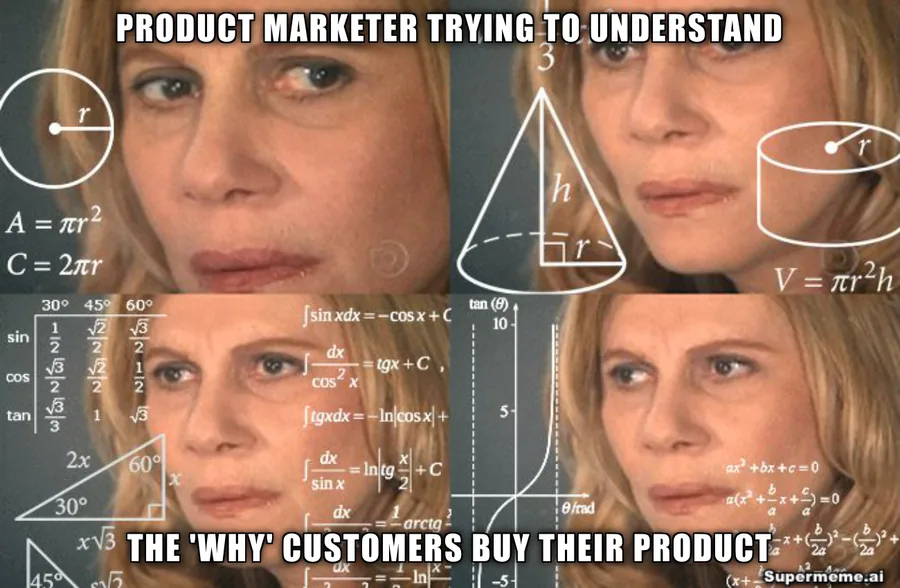
Ask your customers what made them choose you.
Illustrative campaign layout using the same existing meme in both panels. The indigo frame and Nimbus header suggest a treatment for this fictional brand; this layout is not an editor export.
For the brief, caption edits and review steps behind this example, follow the meme marketing production workflow. Use the kit for brand styling and keep campaign review and publishing in your usual tools.
Choose the branding your meme needs
A logo badge in your chosen corner
With your selected kit switched on, add its logo badge to the meme. Choose a corner that leaves the caption and image clear.
Your font for headers and footers
Choose from the available Google Fonts for header and footer text. Edit the meme caption separately to keep the format readable.
Your brand colours
Review suggested colours from your website or logo, or enter exact hex values. Header and footer bars use your brand palette; check the finished image at the size you will publish.
Mascot stickers you can move
Add a mascot or product image in the editor, then drag, resize or rotate the sticker.
AI mascot restyling
Choose AI mascot generation to redraw a template using your kit images and style notes. This is a separate generation step with its own access and credit requirements.
Separate kits for each brand
Keep client or product assets in separate kits and select the right one before generating. The number of kits available depends on your plan.
Optional AI mascot generation
Use your mascot in a familiar meme format
Select a kit with mascot images and style notes, then choose AI mascot generation to restyle the template. Review the result for the right character, caption and brand details before sharing it.
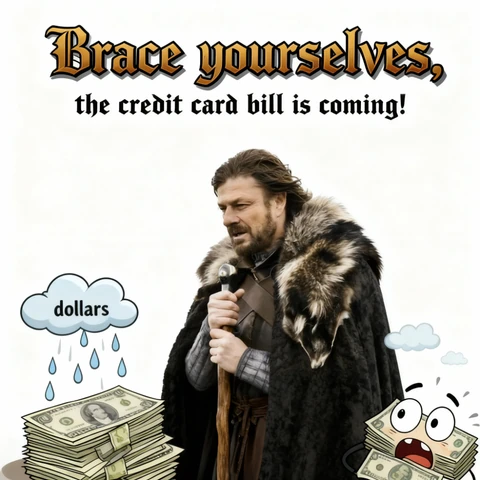

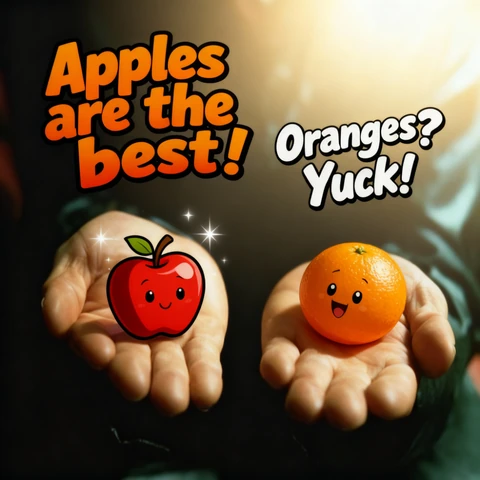
Existing restyling samples. These show template characters and fruit, rather than a verified brand-kit export.
AI mascot generation uses credits. Check your account for available access, preview allowance and credit balance.
How it works
Review your brand assets
Enter your website to get logo and colour suggestions, or add assets yourself. Confirm the logo and palette before saving the kit.
Choose styling and optional mascots
Pick a font for headers and footers. Add mascot or product images if you want to use stickers or try AI mascot generation.
Select the kit and finish the meme
Choose your kit and switch on branding in the generator. Edit the caption, add header or footer text if needed, and check the image before downloading.
Pick a plan for your brand-kit needs
Explore the public preview here. Standard logo-branded image downloads require a paid plan; AI mascot access is checked separately.
Preview
Try styling hereUse the interactive example without signing in. Kit setup and generation use your account.
Solo
1 brand kitFor one personal or business brand, with paid branded downloads.
Startup
10 brand kitsKeep separate kits for your clients or products and choose the one you need.
Enterprise
Unlimited kitsFor organisations that need kits for more brands.
Frequently asked questions
How do branded memes work?
Create a kit with your logo, colours and font. Select it and switch on branding in the generator for a logo badge and styled headers or footers. Meme captions have separate editing controls. Add a mascot sticker manually, or choose AI mascot generation to restyle a template.
What is the difference between a mascot sticker and AI mascot generation?
A sticker is an image you add, move and resize in the editor. AI mascot generation redraws a template using mascot images and style notes from your kit. It is a separate generation step that uses credits and depends on your account access.
Is the branded meme generator free?
You can use the illustrative preview on this page without signing in. Sign in to set up a kit and generate memes within your account limits. Branded downloads require a paid plan. Any AI mascot preview allowance or continuing access is shown in your account.
Can I manage multiple brands?
Yes. The published plans include one kit on Solo, up to 10 on Startup and unlimited kits on Enterprise. Keep each brand in its own kit and select the right one before generating.
Can I use my company's exact brand colours?
Yes. Review the colours suggested from your website or logo, or enter hex values for your primary and secondary colours. Check the logo and text against the final image before publishing.
Does applying a brand kit use extra generation credits?
Adding a logo badge and header or footer styling to an existing meme does not start a new AI generation. Generating meme options uses credits, and AI mascot restyling is a separate generation step. Check your account for the current balance and access.
Keep your brand assets ready for the next meme
Save the logo and styling you want to reuse, choose the right kit, and review the finished meme before sharing it.
Create your brand kit