
Updated October 2026: This quickstart follows the published Supermeme API contract. We first published this article in December 2022 to announce API access.
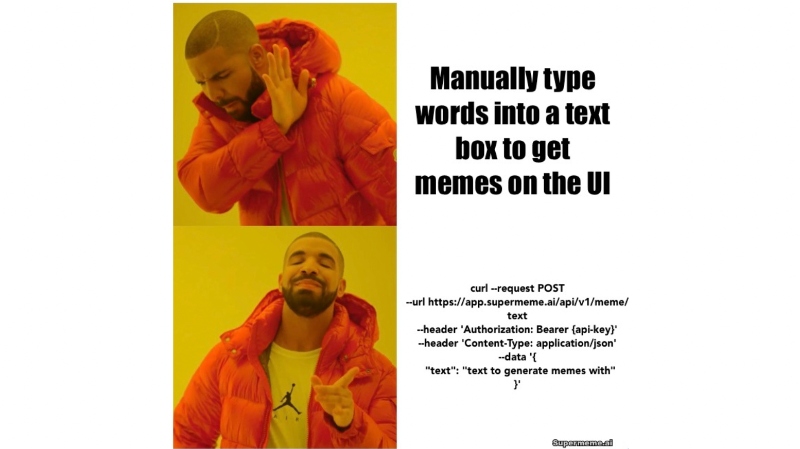
The launch illustration above shows a request to /api/v1/meme/text, which returns captions and template URLs. The quickstart below uses /api/v2/meme/image for images with captions already rendered.
The Supermeme API accepts a situation such as "When the tests finally pass" and returns meme options to review. Start with a request for one image, save the file and check the caption before using it. The complete API documentation covers parameters, responses and error handling.
API access requires an eligible paid account. Check your access and allowance in Developer Settings, create a key and keep it on your server. Send the key as a Bearer token with each request.
Quickstart: generate a finished meme from text
This cURL 7.76+ example requests one captioned image. Running it uses your API allowance. The 120-second limit is a client timeout, not an expected response time.
export SUPERMEME_API_KEY='paste-your-api-key-here'

curl --fail-with-body --max-time 120 --request POST \
  --url https://app.supermeme.ai/api/v2/meme/image \
  --header "Authorization: Bearer ${SUPERMEME_API_KEY}" \
  --header 'Content-Type: application/json' \
  --data '{"text":"When the tests finally pass","count":1}'
Read the JSON response
Illustrative successful response. The example.invalid address and timestamp are sample values:
{
  "memes": ["https://example.invalid/generated-meme-1.png"],
  "expiresAt": "2026-10-04T13:00:00.000Z"
}
Read the actual memes array rather than assuming the requested number arrived. Its URLs point to signed PNG files. The published contract describes a one-hour lifetime and an expiresAt deadline. Download the image bytes before that deadline; save promptly if expiry metadata is missing. Keeping the URL alone does not preserve the image.
To save one result, replace the placeholder below with a URL from your actual response. This GET downloads the image file; its 30-second timeout is another client setting.
export SUPERMEME_IMAGE_URL='paste-one-returned-image-url-here'

curl --fail-with-body --max-time 30 \
  --output first-meme.png \
  "${SUPERMEME_IMAGE_URL}"
After the download succeeds, open first-meme.png and read the captions. Check that the reaction fits the situation and the text is readable. For production storage, save the bytes in your own storage before the signed URL expires.
Create your API key, or read the full quickstart for the request and response reference.
Choose the right meme API endpoint
Choose the endpoint according to what your application needs to do with the response.
| Product need | Endpoint | Response |
|---|---|---|
| Finished captioned memes | POST /api/v2/meme/image |
Signed PNG URLs with captions rendered into the images |
| Captions and templates for your own editor | POST /api/v1/meme/text |
Generated captions paired with public template URLs |
| Template search | GET /api/v1/search |
Up to 20 public template URLs in the published contract |
| Minimalist illustrations | POST /api/v1/minimalist-visual |
Signed URLs for generated illustration PNGs |
Use the image endpoint when you need rendered captions. With the text endpoint, your application places the returned caption on the template and controls its styling; the response is not an editable design file. Search gives you a template-selection step without generating captions.
What can you build with a meme API?
A messaging bot could offer reaction memes for someone to approve. A social-publishing tool could put meme options beside a post draft. An internal app could add a reviewed image to an announcement or team update. Decide who checks the wording and image before the integration publishes or sends them.
For a template picker, send a keyword, emotion or situation to the search endpoint. Handle the returned set and image-fetch failures rather than assuming a fixed result order or permanent availability.
Meme API or MCP?
Use REST when you are adding the workflow to an application, bot or backend. Your server stores the API key, controls the request and handles the response.
Use the Supermeme MCP server for a compatible assistant. The assistant chooses a template and writes captions; Supermeme searches and renders them. The connection uses OAuth. Available actions and image display depend on your client's plan, workspace permissions and tool support. Check the setup guide before choosing this workflow.
Authentication, quotas, and production notes
Keep the API key out of browser JavaScript, mobile bundles and public repositories. Store it as a server-side secret. When replacing a key, update the integrations that use it.
Check the allowance attached to your account's billing period in Developer Settings. API requests have a separate allowance from web-app credits. The pricing page lists the published plan allowances.
The published OpenAPI contract documents X-RateLimit-Limit, X-RateLimit-Remaining and X-RateLimit-Reset on successful and quota-exhausted responses. They describe the billing-period allowance, a conservative remaining count and the reset time as Unix seconds. Read them when present and use the dashboard if they are missing. Stop on HTTP 429 or zero remaining allowance until the allowance resets or changes.
Set a request timeout and record the HTTP status and available error details. A timeout does not show whether generation completed. Repeating a POST may produce another batch and use more allowance, so decide how your app handles that uncertainty before adding retries. Failed requests may also affect usage. The production checklist covers storage, bounded retries and logging.
Meme API FAQ
Can I generate a finished meme from text with an API?
Yes. Send text to POST /api/v2/meme/image. The API selects templates, writes captions and renders images. Review the returned images before using them, and save the files before their signed URLs expire.
Do I need to choose a meme template first?
No. The image endpoint accepts a written situation. Use GET /api/v1/search if your application needs a separate template-selection step. Use the caption-and-template endpoint when your application will render the text itself.
Is the Supermeme API free?
API access requires an eligible paid account. Its request allowance is separate from the web app's credits. Check your current access and usage in Developer Settings and compare the published plans.
Do generated meme URLs expire?
Generated meme and minimalist-visual URLs are signed. The published contract describes a one-hour lifetime; use the response's expiresAt deadline and save promptly if it is missing. Caption-and-template and search responses use public template URLs rather than signed generated-image URLs. Handle fetch failures for either kind.
Should I use the API or the MCP server?
Use REST for direct HTTP requests from your application or backend. Use MCP for an assistant that can call the template and rendering tools. The MCP setup guide explains client access, OAuth and rendering permissions.
Get an API key
Open Developer Settings to check API access and create a key. Keep it server-side, start with the one-image request above and review the result. Use the complete API reference when you build out response handling.
Building for an assistant instead? Set up the Supermeme MCP server.